The Email That Ruined My New Year (And What I Did About It)
January 1st, 2026. While most people were nursing hangovers or making resolutions they’d abandon by February, I was staring at an email that made my stomach drop.
“Your data may be exposed online.”
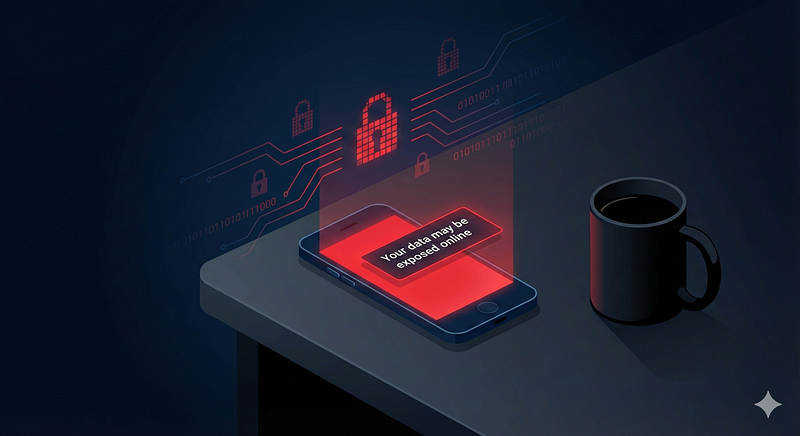
Generated using gemini Nano Banana Pro
I’ve seen these alerts before. We all have, right? You probably get them too if you use a VPN service or have Google’s dark web monitoring enabled (which, by the way, they’re shutting down soon, monitoring stops 15th Jan and data goes away on 16th Feb).
If you haven’t checked yet, do yourself a favor and visit haveibeenpwned.com right now. Type in your email address. It’ll show you every known breach or leak your email has appeared in. There are other resources too: Dehashed and Intelligence X can give you more detailed views of what’s out there. Some VPN services like NordVPN include dark web monitoring that actively scans for your information and alerts you when something new shows up.
Usually, when these alerts come through, it’s the same old story: your email address showed up in some database breach, maybe your name, sometimes your location. Annoying, sure, but not exactly panic-inducing. You change your password, maybe enable two-factor authentication if you’re feeling responsible, and move on with your day.
This one was different.
When “Breach” Becomes “Leak”
The alert didn’t say breach. It said leak.
That distinction matters more than you might think.
A breach is what happens when a company’s database gets hacked and dumped online. Your email ends up in a pile with millions of others. It’s background noise at this point. Most of that data sits in massive dumps that nobody really looks at because it’s too much, too scattered, too useless on its own.
A leak, though? A leak means someone deliberately compiled this data. Someone curated it. Someone saw value in it. Someone is planning to use it or sell it to people who will.
And this leak had everything: name, physical address, phone number, email address. Not just a digital identity but an actual, real-world identity. The kind of information that lets someone convincingly pretend to be you.
Understanding the Real Threat
Here’s what makes this dangerous: with this information, someone could call your mobile service provider right now. They could answer the security questions (because they have all your details), convince the customer service rep they’re you, and request a SIM swap. Suddenly, your phone number is on their SIM card. Your two-factor authentication codes? Going to their phone. Your password reset links? Their phone. Your bank notifications? Their phone.
Or they could call your bank. Provide your name, address, phone number. Answer some security questions that are probably based on the exact information they already have. Request a password reset, change contact details, initiate transfers.
They could file fraudulent tax returns in your name. Open credit accounts. Impersonate you to your workplace. The possibilities are extensive and genuinely frightening.
This isn’t abstract. This is a complete identity package, and once it’s out there, it’s out there permanently.
Rethinking Password Security
Most of us handle password security the same way. We create one “strong” password. Something with uppercase, lowercase, numbers, special characters. The works. And then we make variations of it across different sites. MyPassword123! for one site, MyPassword123@ for another, maybe MyPassword2024! for the important ones.
It feels secure. You’re not using the same password everywhere, right?
But here’s the problem: if one site gets breached and your password is exposed, anyone with basic pattern recognition can figure out your other passwords. And we all reuse more than we admit because who can actually remember 50 genuinely unique complex passwords?
The solution is to stop trusting your memory. Hand the job over to machines.
Choosing a Password Manager
A password manager generates and stores completely random, genuinely unique passwords for every account you have. No patterns. No variations. No mental gymnastics.
But let’s be honest about what you’re really doing here: you’re handing over the keys to your entire digital life to a single piece of software. If you lose access to that password manager, if the device with it gets lost, if you forget the master password, or if the service itself gets compromised, you could be locked out of everything.
That risk is real. It should make you pause.
But here’s why it’s still the better bet: your memory is already compromised. Not by hackers, but by human limitations. You can’t remember 50 truly unique complex passwords. Nobody can. So you create patterns, reuse passwords, use variations that feel different but aren’t. One breach and someone with pattern recognition can unlock multiple accounts.
A password manager puts all your eggs in one basket, yes. But it’s a heavily fortified basket with encryption, biometric locks, and security protocols you couldn’t maintain manually. And that basket doesn’t forget, doesn’t get tired, doesn’t cut corners.
The question isn’t whether password managers are risky. Everything is risky. The question is: which risk is more likely to hurt you? Scattered weak passwords you can remember, or consolidated strong passwords you can’t?
So, which password manager should you choose?
You likely already have options available. Google Password Manager if you use Chrome. Apple Passwords if you’re in the Apple ecosystem. Microsoft’s built-in password manager. Or dedicated services like Bitwarden, 1Password, or NordPass.
The choice depends on your device ecosystem. Consider where you spend most of your digital life:
If you use Windows laptops, Chromebooks, Android phones, iPhones, and MacBooks interchangeably, you’re platform-agnostic by necessity. But think about which devices you actually depend on every single day. Which company’s security model do you trust most?
For some, that’s Apple’s approach to privacy and their refusal to compromise on encryption. For others, it’s Google’s cross-platform availability. For some, it’s an independent service like Bitwarden that isn’t tied to any single ecosystem.
The key is this: if you’re going to trust someone with every password to your digital life, choose deliberately. Pick the security model you trust most, not just what’s most convenient.
Once you’ve chosen, install the necessary extensions or apps across your devices and commit to the migration.
The Migration Process
Changing passwords properly isn’t a quick task. You’ll need to go through everything systematically:
Start with your email accounts. Every Gmail account. Every Outlook account. Every Yahoo account you’ve forgotten you had. Email is the master key to everything else, so secure these first.
Then move to accounts with financial information: online shopping accounts, banking apps, investment platforms, subscription services, anything that has your credit card stored.
For each account:
- Navigate to security or password settings
- Let your password manager generate a completely random password
- Save it in your vault
- Test that you can log in with the new password
You’ll probably discover accounts you created years ago and forgot about. Consider whether you actually need them. If you haven’t used a service in over a year, closing the account entirely is often the better choice. Every account is a potential vulnerability.
Beyond Passwords: Passkeys
Wherever a service supports it, enable passkeys instead of passwords. If you’re not familiar with passkeys, think of them as the future of authentication. Instead of a password you type, it’s a cryptographic key stored on your device. You authenticate with Face ID, Touch ID, or your device PIN.
The advantages:
- No password to steal
- No phishing possible (the passkey is mathematically tied to the specific website domain)
- Simpler user experience
The main players support passkeys now: Amazon, Google, Microsoft, many financial institutions. It’s not universal yet, but where it exists, use it. You’re future-proofing your security.
Consolidating Two-Factor Authentication
For everything else, enable two-factor authentication. But here’s the strategic choice to make: where do you store your verification codes?
Many people have codes scattered everywhere. Some in Google Authenticator, some in Microsoft Authenticator, passwords in a third place. Every time you need to log in somewhere, you have to remember which authenticator app holds that particular code.
Consider consolidating everything into your chosen password manager if it supports verification codes. Many modern password managers do: Apple Passwords, Google Password Manager, Bitwarden, 1Password.
One vault. One security model. One authentication method for everything. The cognitive overhead drops significantly.
Important note on SMS-based 2FA: While SMS codes feel secure, they’re vulnerable to the exact SIM-swapping attack mentioned earlier. Wherever possible, use app-based authentication or hardware keys instead of SMS codes.
The Problem That Remains
Here’s the uncomfortable truth: even after securing every digital account, using strong unique passwords, enabling passkeys where possible, and setting up two-factor authentication everywhere, the original problem persists.
Once your personal information is leaked, it’s out there permanently. You can’t un-leak it. You can’t change your identity the way you changed your passwords.
Someone can still impersonate you if they have your personal details. They can still attempt a SIM swap. They can still try to social engineer their way into your accounts. They can still use your information for targeted phishing attacks or identity theft.
You’re playing defense now, and you’ll be playing defense indefinitely.
What You Can Actually Control
So what do you do when you can’t undo the damage? You minimize future exposure and make impersonation as difficult as possible.
Freeze your credit: Contact all major credit bureaus in your country and freeze your credit. No new accounts can be opened in your name without you explicitly unfreezing it first. This prevents identity thieves from opening credit cards, loans, or other financial accounts using your information.
Protect against SIM swapping: Contact your mobile service provider and set up a PIN or password specifically for your account. Instruct them that any changes to your account (including SIM swaps) must require this PIN, not just your personal information. Some providers call this a “port-out PIN” or “account security PIN.”
Audit your data footprint: Go through every account you have and ask: does this service actually need my physical address? If it’s not a delivery service or a financial institution, probably not. Remove address information from accounts that don’t need it. For shopping sites, delete saved addresses and only enter them at checkout when needed.
Close unused accounts: If you haven’t used a service in over a year, close the account entirely. Every account is a potential vulnerability. Every piece of data stored somewhere is another place it can leak from. Be ruthless about this.
Set up monitoring: Enable credit monitoring and fraud alerts through your bank or credit bureau. Set up alerts for unusual login attempts on your important accounts. It’s not prevention, but at least it’s early detection.
Minimize future data sharing: Stop giving every service your full life story just because they have a form field for it. Only provide information that’s genuinely necessary for the service to function. If a field is optional, leave it blank.
What We Should All Be Doing
This isn’t just an individual problem. This is everyone’s problem. If it hasn’t happened to you yet, statistically, it probably will.
Here’s what we should all be doing right now:
Check your exposure: Visit haveibeenpwned.com and enter your email addresses. See what breaches you’re already in. Check Dehashed and Intelligence X for more detailed information. If you use a VPN with dark web monitoring, enable those alerts.
Stop trusting your memory with passwords: Choose a password manager that fits your ecosystem and commit to it. Migrate your accounts systematically. This is the single most impactful security improvement most people can make.
Enable passkeys wherever available: They’re not universal yet, but they’re growing. When a service offers passkeys, use them.
Use app-based two-factor authentication: Not SMS codes. Authenticator apps or hardware keys are significantly safer against SIM swapping attacks.
Audit your digital footprint regularly: Make this a yearly practice. Review your accounts. Close what you don’t use. Remove data that doesn’t need to be there.
Assume your data is already out there: Because it probably is. Act accordingly. Freeze your credit. Set up fraud alerts. Make it harder for someone to impersonate you. Don’t wait for the wake-up call.
What Comes Next?
Even after taking all these steps, questions remain.
Are data removal services like Incogni or DeleteMe worth the investment? They supposedly scrub your information from data broker sites, but their effectiveness varies by jurisdiction. If you’re in Europe, GDPR gives you stronger rights to request data deletion directly. If you’re in the US, these services might handle the tedious work of submitting removal requests to hundreds of data brokers.
Should you use a virtual phone number for services that don’t actually need your real number? Maybe a PO box for accounts that need an address but don’t need your home address?
What happens when the next leak comes? Because there will be a next leak.
The bigger question is this: we’ve built a digital world where our most sensitive information gets scattered across hundreds of services, stored in databases we don’t control, protected by security we can’t verify, and leaked in ways we can’t prevent.
What are we supposed to do about that?
The vulnerability is real. The data is out there. But at least you don’t have to make it easy. Take control of what you can control. Secure your accounts properly. Minimize your exposure going forward. Make impersonation as difficult as possible.
And then share this with someone who needs to hear it. Because we’re all in this together, whether we like it or not.
What are you doing to protect yourself? What are we missing? What should we all be thinking about next?