The AI Party: A Developer’s Guide to Understanding the Modern AI Landscape
For the seasoned Java developer who’s wondering if they’ve missed the AI train
Disclosure: Written with support from AI to help organize thoughts and shape the language — human-written, AI-assisted.
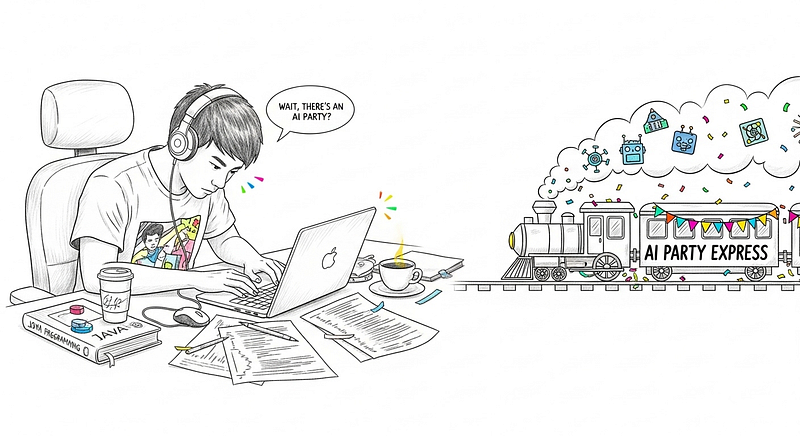
Generated with Imagen 4 Ultra
A colleague recently asked me about the “AI party” — that feeling that everyone’s talking about AI, and maybe he’s late to join the bandwagon. As someone who’s been navigating this landscape, I realized many of my fellow engineers share this sentiment. If you’re a developer who’s been heads-down in your codebase while AI seemingly exploded overnight, this guide is for you.
Part 1: AI Models Explained — A Developer’s Guide
Think of AI Models as Software in Black Boxes
Let’s start with a familiar analogy. We know how we use third-party libraries and frameworks in Java projects. We don’t necessarily know how Apache Commons or Spring Boot works internally, but we understand their APIs and what they do. AI models are similar — they’re essentially software components, but in black boxes.
Just as there are different libraries for different purposes (JSON parsing, HTTP clients, database connections), there are different AI models for different tasks:
- Text-to-speech models (like having a library that converts strings to audio)
- Computer vision models (like having a library that can identify objects in images)
- Text-to-image models (like having a library that generates images from descriptions)
- Text-to-video models (imagine a library that creates video clips from text)
- Text-to-text models (like having an incredibly sophisticated natural language processing library)
The Two Breeds of AI Engineers
Understanding the AI landscape requires recognizing there are essentially two types of engineers working with AI:
1. AI Engineers (The Model Creators) These are the folks who actually build and train the models. Think of them as the engineers who create the frameworks and libraries we use. They’re not traditional software engineers — they’re a hybrid breed with deep knowledge in:
- Data science and statistics
- Machine learning algorithms
- Distributed computing for training massive models
- GPU optimization
They work at companies like OpenAI, Anthropic, Google, and Meta, spending months training models on massive datasets using clusters of GPUs.
2. AI-Driven Engineers (The Model Users) This is where traditional software engineers fit in. These are developers who integrate AI models into applications. If you can code, you can become an AI-driven engineer. The role essentially involves consuming these black-box models through APIs and building applications around them.
Checkpoints: The Snapshots of AI Models
Here’s where it gets interesting for developers. Remember how software releases are versioned? AI models have something similar called checkpoints.
Think of a checkpoint as a snapshot of a model at a specific point during its training. Just like how software might be released as version 1.0, 1.1, 1.2, AI models are released at different training checkpoints. Each checkpoint represents the model’s “knowledge” and capabilities at that moment.
For example, GPT-4 or Claude aren’t just single entities — they’re specific checkpoints of larger training processes. Companies release these checkpoints when they’re stable and useful enough for public consumption.
Your Options: Cloud vs Local
Before diving deeper, let’s explore the options for actually consuming AI models. Think of this as choosing between using a cloud database service versus running your own database server.
Cloud-Based AI Services (The SaaS Approach)
Major Players:
- OpenAI API — GPT models, DALL-E, Whisper
- Anthropic Claude — Excellent for reasoning and coding
- Google AI Studio — Access to Gemini models
- AWS Bedrock — Multiple model providers in one platform
Getting Started:
- Sign up for an account and get API keys
- Start with simple REST API calls
- Use official SDKs (most have Java libraries)
Local AI Models (The Self-Hosted Approach)
System Requirements Reality Check:
- Text Models: 8GB RAM minimum, any modern CPU
- Image Generation: 16GB RAM, NVIDIA GPU with 8GB+ VRAM
- Voice Models: 8GB RAM, GPU helpful but not required
Popular Local Tools:
- Ollama — The Docker for AI Models (install with:
ollama run llama2) - LM Studio — User-friendly GUI for model management
- ComfyUI — Visual workflow builder for image generation
- Coqui TTS — Local text-to-speech
Which Path Should You Choose?
Start with Cloud APIs if you want to prototype quickly or need the latest models. Consider Local Models if you’re concerned about privacy, want to avoid ongoing costs, or need offline capabilities.
What You Can Do With Model Checkpoints
Once you have access to a model checkpoint, you have several options:
1. Use As-Is (API Integration) The simplest approach — just call the model through an API.
2. Fine-tuning Take a pre-trained model and train it further on your specific data.
3. Agent Development Create applications that use AI models to perform complex tasks.
4. MCP Server Integration Give your AI models access to external APIs and data sources through Model Context Protocol servers.
Part 2: Vibe Coding — AI Tools That Actually Help You Code
Gone are the days of wrestling with syntax and hunting through Stack Overflow — welcome to the era of “vibe coding” where you describe what you want in plain English and watch working code materialize.
AI-Powered Development Environments
Cursor — The AI-First IDE
- Built on VS Code but designed for AI interaction
- Natural language code editing: “Add error handling to this method”
- Understands your entire codebase context
- Offers a generous free trial to get you started
Windsurf — The Next-Gen AI IDE
- Similar to Cursor but with different AI model integrations
- Excellent for collaborative coding with AI
Replit Agent — Browser-Based AI Development
- Entire development environment in your browser
- AI can build complete applications from descriptions
Command Line AI Assistants
Claude Code — Your Terminal Pair Programmer
- Developed by Anthropic (currently in research preview)
- Lets you delegate entire coding tasks directly from your terminal
- Perfect for automating repetitive development tasks
Gemini CLI — Google’s Developer Tool
- Command-line interface for Google’s Gemini models
- Can analyze code files, generate documentation, explain complex logic
Bringing AI to Your Current IDE
For VS Code:
- GitHub Copilot — The pioneer of AI code completion
- Gemini Code Assist — Google’s AI coding assistant with incredibly generous free limits
- Codeium — Free alternative with chat features
- Continue — Open-source AI coding assistant
For IntelliJ IDEA:
- GitHub Copilot — Available as JetBrains plugin
- Gemini Code Assist — Also available for IntelliJ with the same generous limits
- Tabnine — Native IntelliJ integration
- JetBrains AI Assistant — Built-in AI features (beta)
Gemini Code Assist Deserves Special Mention: Google’s Gemini Code Assist now offers the most generous free tier in the industry — up to 180,000 code completions per month and 6,000 completions daily. It uses the Gemini CLI underneath and you can sign in with your personal Gmail account. The tool supports 38 programming languages and is powered by Gemini 2.0, making it incredibly capable for Java development.
The New Development Workflow
Instead of traditional development, consider this AI-augmented approach:
- Describe what you want to build in natural language
- Let AI generate the initial structure and boilerplate
- Iterate with AI to refine the implementation
- Use AI for code review and optimization suggestions
- Generate tests and documentation with AI assistance
Code Examples in Action
AI-Assisted Debugging:
# Using Claude Code to review your changes
claude-code review --files "src/main/java/com/example/"
# Using Gemini CLI for code analysis
gemini analyze --file "DatabaseService.java" --focus "performance"Java Integration Example:
// Local Ollama API integration
Getting Started: Your Roadmap
For immediate productivity:
- Install GitHub Copilot or Gemini Code Assist in your current IDE
- Try Claude Code for terminal-based development tasks
For exploration:
- Download Cursor and build a small project to experience AI-first development (Cursor offers a generous free trial to get you started)
- Set up Ollama locally and experiment with text models
For team adoption:
- Start with IDE plugins that don’t disrupt existing workflows
- Gradually introduce AI tools for specific tasks (code review, documentation)
The Bottom Line
The AI party isn’t about replacing developers — it’s about augmenting capabilities. As Java developers, you already have the foundational skills. You understand APIs, system integration, and application architecture. AI models are just new, incredibly powerful tools in the toolkit.
The real opportunity lies in bridging the gap between these powerful but raw AI capabilities and practical business applications. That’s where engineering experience becomes invaluable.
So no, you’re not late to the bandwagon. You’re arriving just in time to help build the applications that will define how AI actually gets used in the real world.
The key insight? AI isn’t replacing development skills — it’s amplifying them. Think of it as having a senior developer who never gets tired, knows every programming language, and can instantly recall any documentation or best practice.
Ready to dive deeper? I suggest starting with a simple API integration project this weekend. The future of development is AI-augmented, and it needs experienced engineers like us to build it.
A message from our Founder
Hey, Sunil here. I wanted to take a moment to thank you for reading until the end and for being a part of this community.
Did you know that our team run these publications as a volunteer effort to over 3.5m monthly readers? We don’t receive any funding, we do this to support the community. ❤️
If you want to show some love, please take a moment to follow me on LinkedIn, TikTok, Instagram. You can also subscribe to our weekly newsletter.
And before you go, don’t forget to clap and follow the writer️!